Install Raspbian using Linux

Raspbian Installation

Raspbian is a stripped down linux distribution that you can load on a raspberry PI. I have been using Raspberry PI’s for a number of systems in my house. The latest Raspberry PI 3 is Quad Core Broadcom BCM2837 64-bit ARMv8 processor (phew) which means it’s pretty fast. It also has WiFi built in which is HUGE (donald T) . Some uses include entertainment systems, web servers, dns servers, and phone pbx systems. So here you go:

  • Get an SD card.
  • Download latest Raspbian here.
  • Insert your SD card and get mount information.
  • Run df to find mount point and device name.
  • Unmount the SD card.
  • Format SD card in FAT 32.
sudo mkdosfs -F 32 -v /dev/mmcblk0
  • Copy .img file to SD card using dd.
sudo dd bs=1M if="/home/linux/2013-02-09-wheezy-raspbian.img" of=/dev/mmcblk0
Linksys SPA-3102 and Incredible PBX 12.0.70

First of all you need to install Incredible PBX. Simple instructions are here. I am using a VM built on Xenserver but any PC or VM should be able to work for you. Next you need to have a compatible Voice Gateway devices. I am using an old Linksys SPA-3102 which enables Voice over IP.

You will also need a half decent wireless phone system. I am using an AT&T dec system with 5 handsets

Pretty easy so far right?

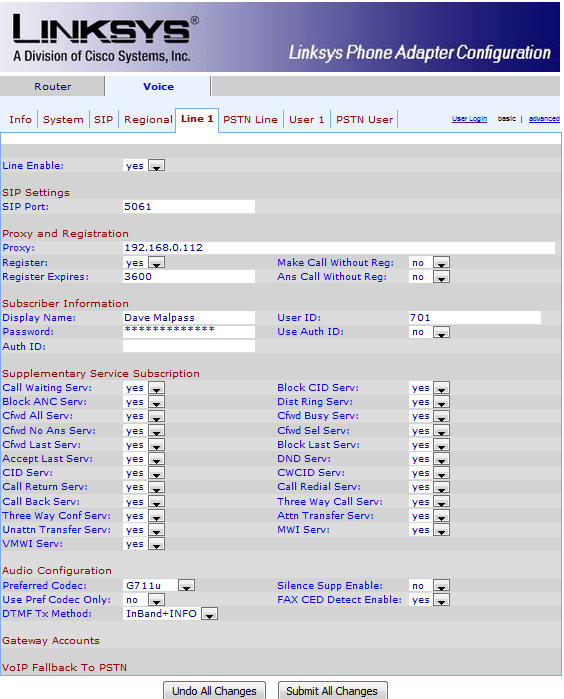
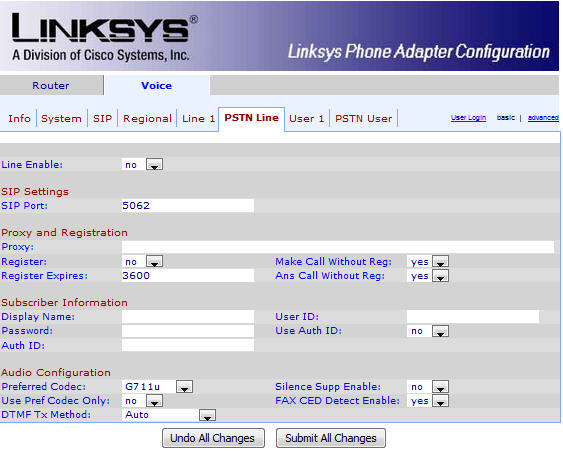
Configure the SPA-3102 as follows:

Linksys SPA-3102 Admin

Linksys SPA-3102 Admin Continued

Linksys SPA-3102 Admin Page cont'd

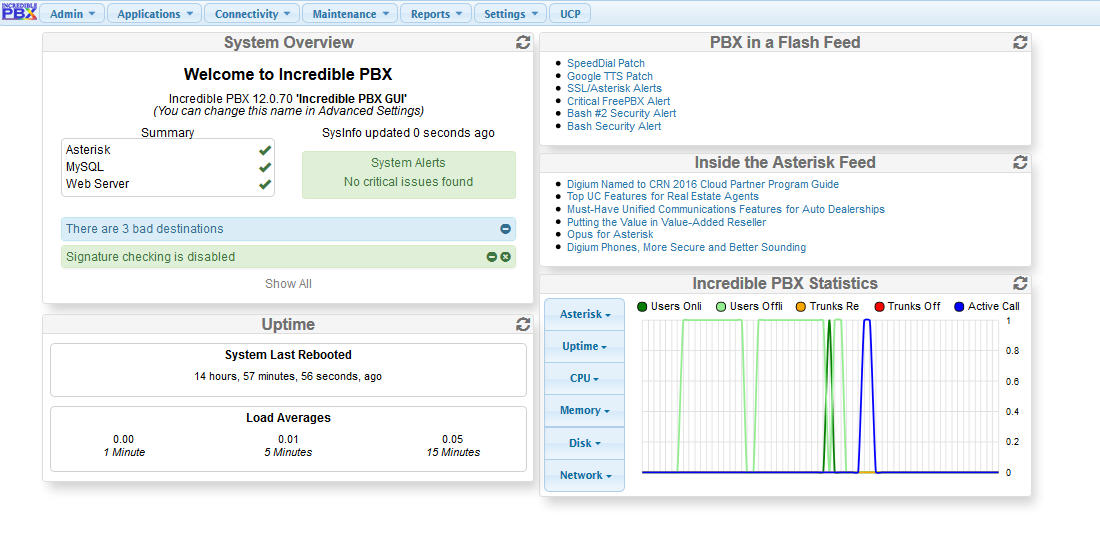
Next goto your Incredible PBX admin screen http://phone1.local.net/admin

pbx5

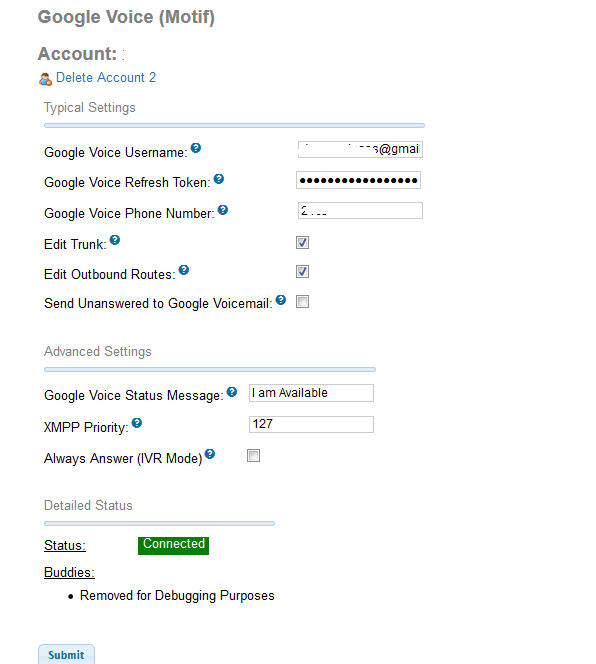
and add your google account under Connectivity / Google Voice

pbx4

You now need to setup your connection to your Linksys SP-3102 under “Applications / Extensions”

Create Generic PJSIP Device

ext2

Grab a beer, you’re done!

Drupal on Docker in 30 seconds

Install Docker

yum install docker-engine

After that you just need to pull a drupal container from docker hub

docker run -d -p 8080:80 -p 8022:22 -v `pwd`/modules:/var/www/sites/all/modules/custom -v `pwd`/themes:/var/www/sites/all/themes wadmiraal/drupal

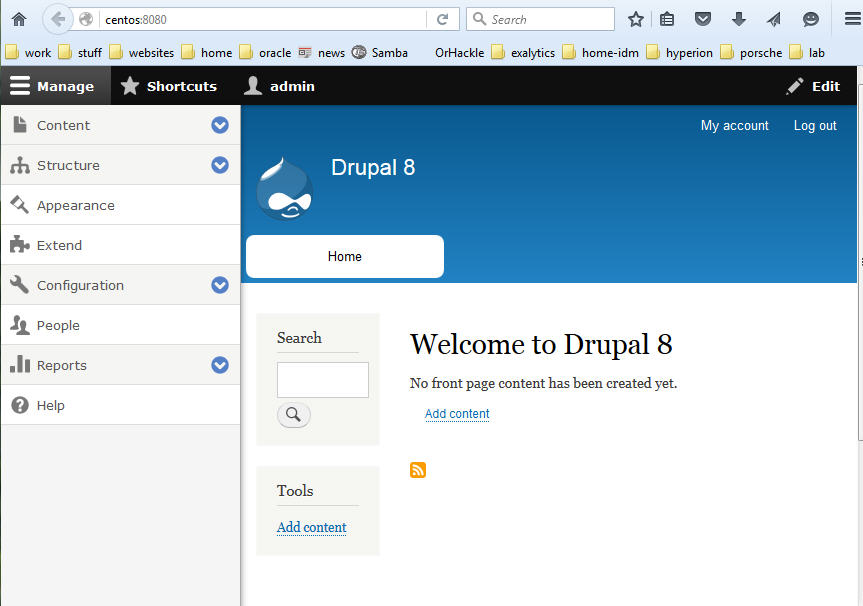
Access new docker environment on http://yourdockerserver:8080

account login is admin / admin

docker

Grab a beer

Docker install on OpenSuse Tumbleweed

sudo zypper in docker
sudo systemctl start docker
sudo systemctl enable docker
sudo /usr/sbin/usermod -a -G docker dmalpass
sudo docker run --rm -i -t opensuse /bin/bash


Quick one liner to get a full OPatch inventory of your Oracle Middleware Server

After trying to use OEM to grab all the patches from every installed Oracle product, I gave up and decided to write my own one liner. Customize to match your weblogic install directory.

This script will first find all Middleware Homes specifically using Weblogic, then run the lsinventory or lspatches to display a full listing.

  • First, sign in as the “oracle” user
  • Second, run the following command on your linux system

ora-plane


for line in `locate oraInst.loc|grep weblogic |sed 's/.\{12\}$//'`;do /u01/app/oracle/weblogic1036R2/oracle_common/OPatch/opatch lsinv -detail -oh $line;done